
Workers record the job
Choose the work, start the timer and switch jobs as the day changes.
Phone timers, shared kiosks and reviewed timesheets for New Zealand teams.
For New Zealand teams working across jobs, workshops and sites. Keep each person’s hours connected to the work.
Choose the work, start the timer and switch jobs as the day changes.
See active work, review timesheets and follow recorded hours through to each job and project.
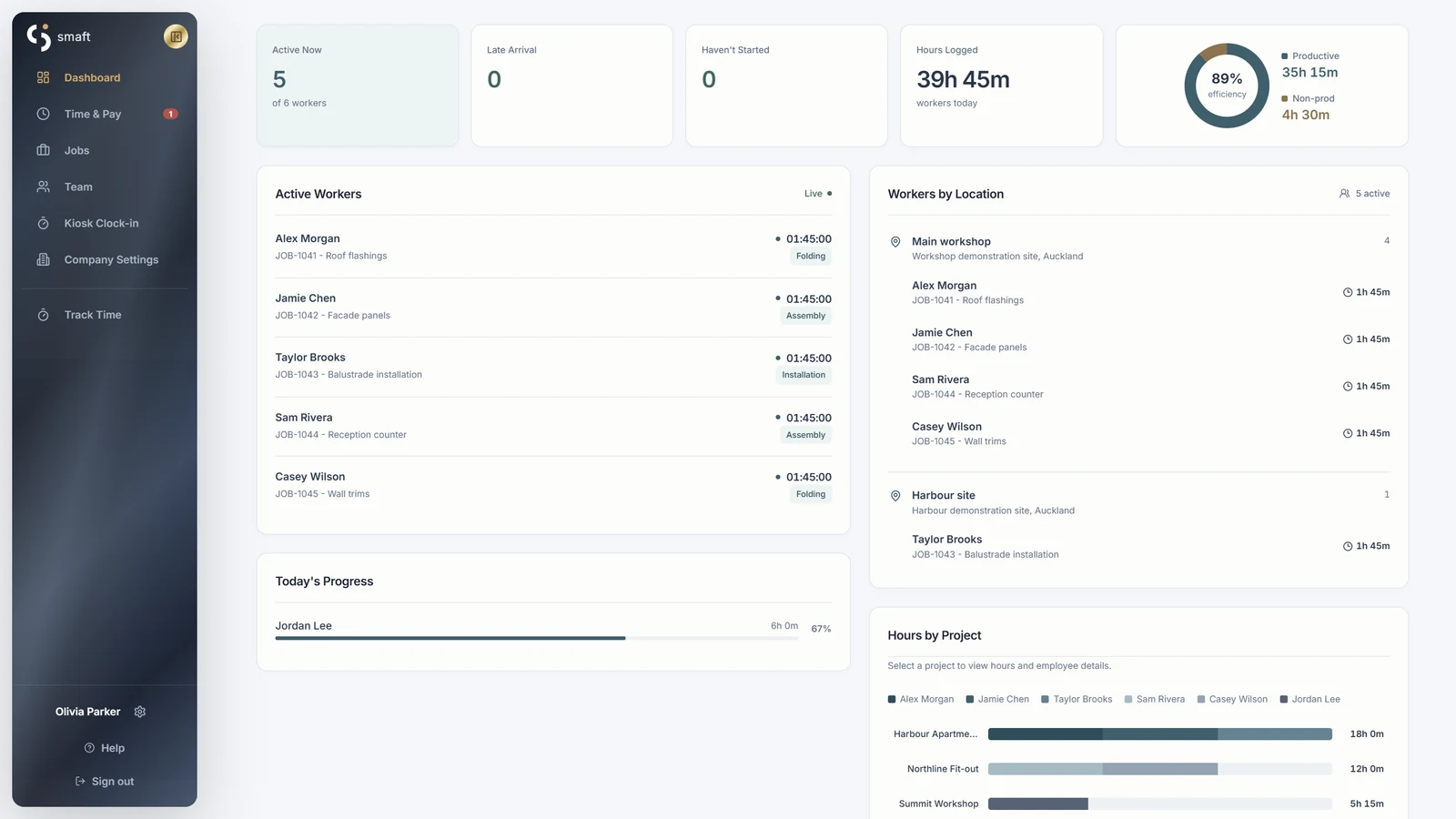
Open the dashboard for active workers, today’s records and hours by project.
Compare estimated and recorded hours, then follow the entries back to the people doing the work.

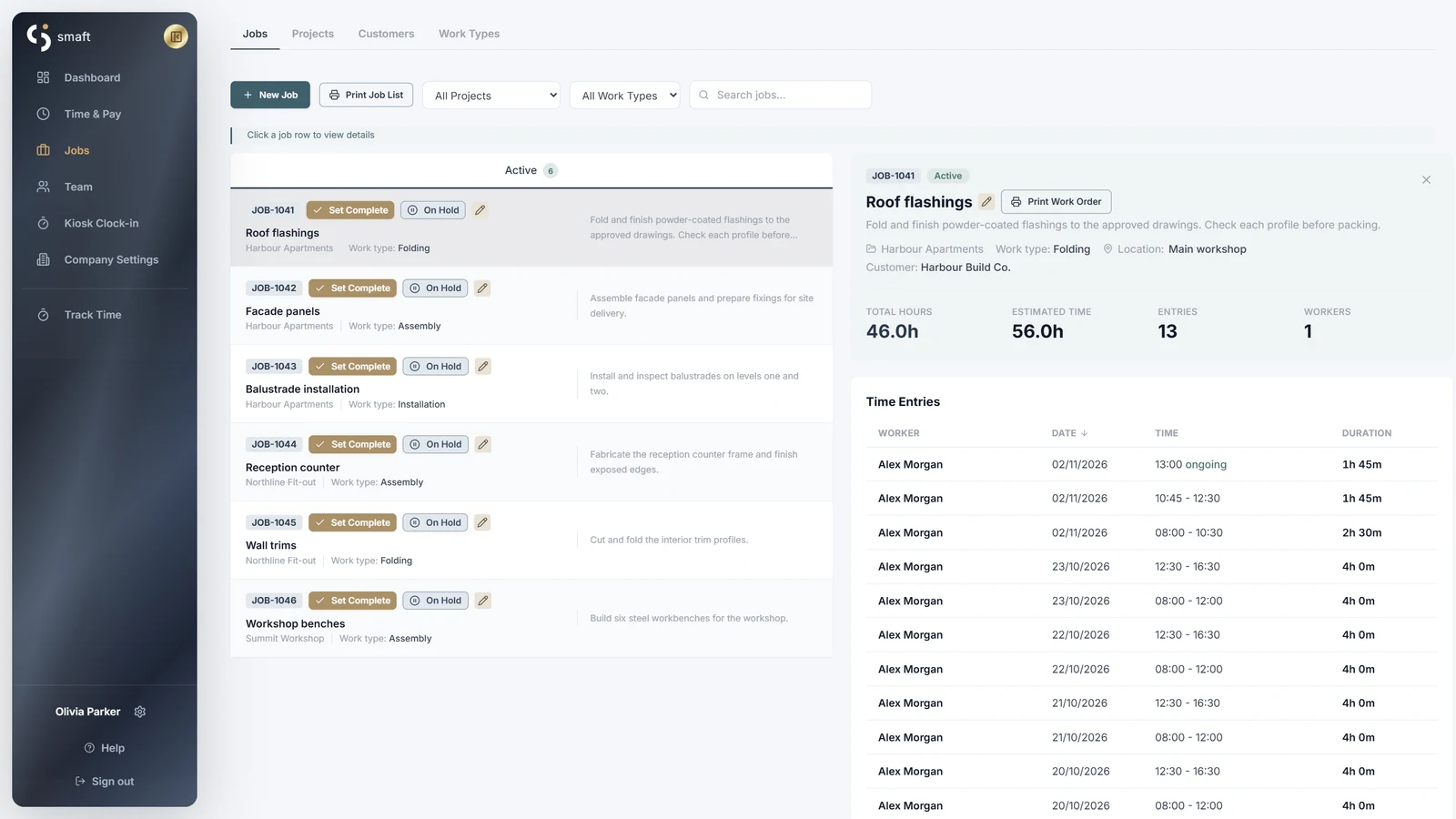
Actual smaft screens with illustrative data.
Record cutting, welding and installation time against each order’s jobs.
Explore workshop time trackingBring making, finishing and fitting hours into the same customer project.
Explore joinery workflowsRecord separate jobs as crews move between installation stages and sites.
Explore site time trackingCheck the fit for your people, your jobs and your office process.
Discuss your workflowsmaft is a web-based time-tracking and timesheet tool from Fernware Systems Limited. It connects employee time with jobs, projects and office review for New Zealand trade, manufacturing and service teams.
Workers can use the browser-based timer or a shared kiosk with employee PIN entry. We can check the devices, browsers and connection conditions your team uses when discussing the setup.
Workers can record general work and other activities as well as job time. Work types distinguish productive work, non-productive activities and unpaid time.
Job details bring estimated and recorded labour hours together, with the individual entries behind them. Those hours support job-costing discussions. They do not, on their own, calculate a complete job profit.
Yes. Employees can submit timesheet changes and leave requests for office review. The team can discuss the approval workflow and account configuration you need.
smaft includes a payroll-hours preview for checking recorded hours before payroll preparation. Tell us which payroll system and output format you use so we can confirm the fit. Payroll processing and integrations need separate confirmation.
Yes. Represent separately timed tasks as Jobs within a Project, each with a Work Type. Workers start or stop a Job timer, or switch to the next Job. Switching ends the previous entry and starts the next at the same timestamp.
Yes. The timesheet Excel export includes employee, Job number and name, Work Type, start and end times, and hours. Select a date range and employees. Separate Project and Site columns and a CSV download are not currently included.
We first map your process to the existing Jobs, Work Types and review tools. Additional requirements can be assessed and quoted separately. The shared PIN Kiosk is an example of a customer requirement developed into an optional feature.
Pricing depends on your team size, workflows and setup. Start by telling the Fernware Systems Limited team how you record time today. We will discuss the relevant features, rollout scope and quote.
Show us your time-recording process. We’ll discuss setup, features and pricing.